
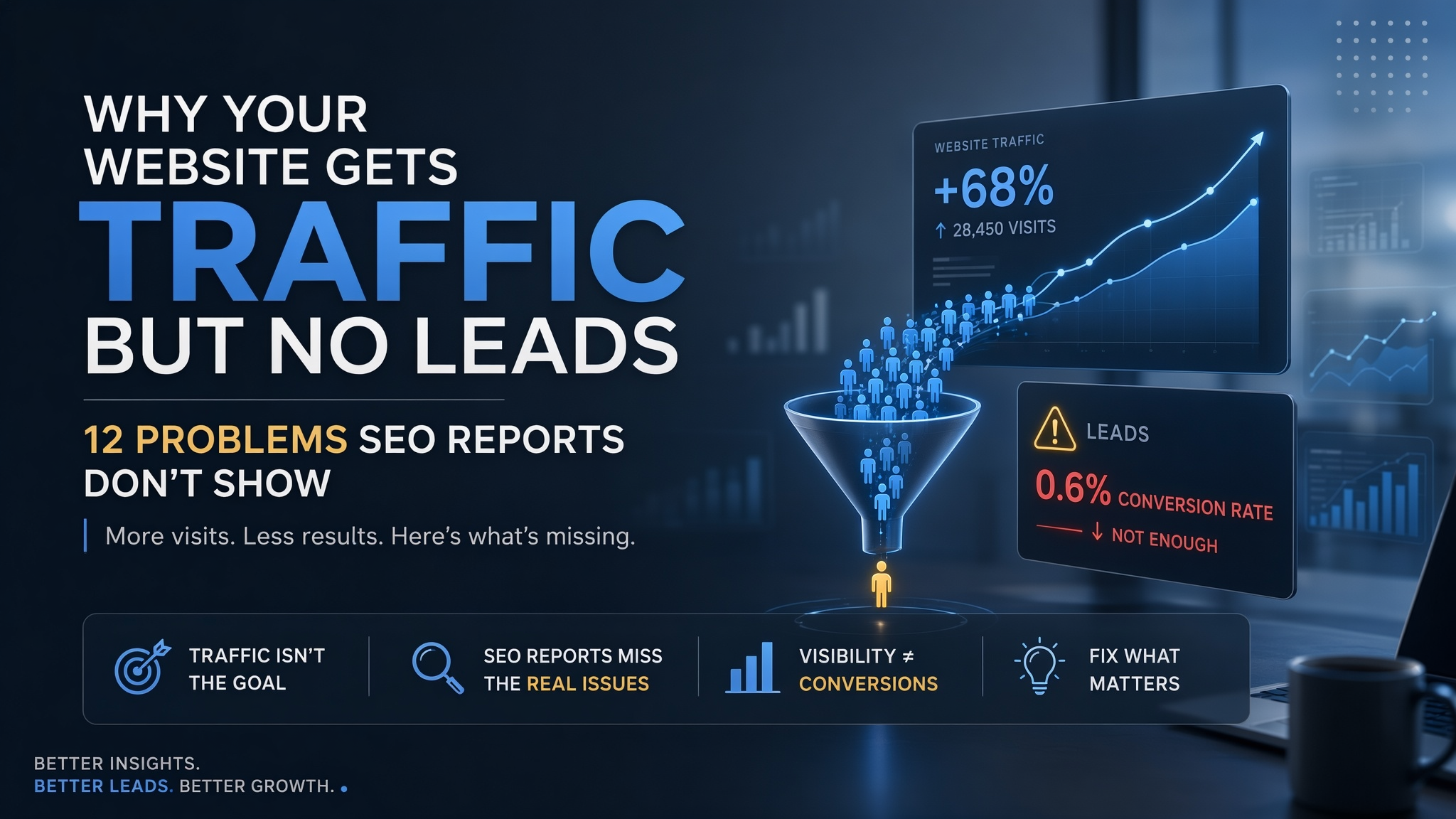
Why Your Website Gets Traffic but No Leads: 12 Problems SEO Reports Don’t Show
A business owner opens Google Analytics and sees good news.
Organic traffic is growing. Search impressions are higher. Several important keywords have moved up. Blog traffic is stronger than it was three months ago.
Then comes the question that changes the mood:
“How many leads did we get?”
Very few.
This is one of the most frustrating situations in digital marketing. Your SEO report looks healthy, but the sales team does not feel the improvement.
The usual response is to chase more traffic.
Publish more blogs. Target more keywords. Increase the ad budget. Push impressions higher.
But more visitors will not solve a website that struggles to convert the visitors it already has.
Sometimes the real problem sits after the click.
The wrong audience may be arriving. Your landing page may not match what people searched for. The service may be difficult to understand. Visitors may not trust the company yet. Your contact form may ask for too much. Or genuine enquiries may arrive but disappear inside a weak follow-up process.
That is why traffic should never be viewed as the finish line.
The more useful question is:
Where does the journey break between visitor and qualified lead?
This guide covers 12 problems worth investigating before you decide that your website simply needs more traffic.
Table of Contents
- What to Check Before You Ask for More Traffic
- 12 Reasons Your Website Gets Traffic but No Leads
- How to Find the Real Conversion Problem
- What Should You Fix First?
- Why SEO and Web Development Need to Work Together
- How Ebslon Infotech Approaches Traffic-to-Lead Problems
- Frequently Asked Questions
What to Check Before You Ask for More Traffic
Before investing in another SEO campaign, content plan or paid advertising push, examine what happens to the visitors you already have.
- Check traffic quality. Are potential customers arriving, or are you mainly attracting people researching broad informational topics?
- Check landing-page intent. Does the page answer the need behind the search that brought the visitor there?
- Check your message. Can a first-time visitor quickly understand what you sell and who it is for?
- Check the next step. Is there an obvious and relevant action for someone who wants to continue?
- Check trust. Does the website give visitors enough evidence to feel comfortable contacting your company?
- Check mobile usability. A page that looks good on desktop can still create friction on a phone.
- Check your forms. Are you asking for information you genuinely need, or making the first enquiry unnecessarily difficult?
- Check tracking. Are form submissions, calls, WhatsApp enquiries and other important actions measured correctly?
- Check what happens after submission. A website can generate leads while the business loses them during follow-up.
Traffic is only the beginning.
The real journey looks more like this:
Search → Visit → Relevance → Trust → Action → Follow-up → Qualified Opportunity
A weakness anywhere in that chain can reduce lead generation.
12 Reasons Your Website Gets Traffic but No Leads
1. You Are Attracting the Wrong Traffic
What to check: Whether your highest-traffic pages and keywords have any meaningful connection with the services you sell.
Traffic volume can be misleading.
Consider two searches:
“What is SEO?”
and
“SEO company for an eCommerce business in India.”
Both can create an organic visit.
But the intent is completely different.
The first person may be a student, marketer, business owner or simply someone learning about SEO.
The second is much closer to evaluating a service provider.
Now imagine your organic traffic grows from 5,000 visits to 12,000.
That sounds excellent.
But most of the growth comes from broad educational articles that rarely connect with your commercial services.
The SEO campaign has generated traffic.
It has not necessarily generated stronger business demand.
This does not mean informational content is useless.
Informational content can introduce your brand, build topical depth and reach potential customers earlier in their research.
The problem appears when almost your entire strategy sits at that stage.
A stronger content mix covers different levels of intent:
- Awareness: The customer is learning.
- Problem-aware: They know something is wrong.
- Solution-aware: They are exploring ways to solve it.
- Commercial: They are comparing providers or solutions.
- Decision: They are close to contacting or buying.
If your traffic grows while leads remain flat, check which stage is actually producing that growth.
2. Your Landing Page Does Not Match Search Intent
What to check: Whether visitors land on a page that directly answers what they searched for.
Imagine someone searches:
“custom ERP development company in India.”
They click your result.
The page talks broadly about software development, mobile apps, websites and cloud solutions.
ERP appears somewhere near the bottom.
The company may genuinely provide ERP development.
But the visitor has to work to discover that.
That creates unnecessary friction.
The same thing happens when someone searches for Shopify development and lands on a generic eCommerce page, or searches for SEO services and reaches a broad digital marketing page that barely explains SEO.
Strong landing pages make relevance obvious.
A visitor should quickly understand:
- what the service is,
- who it is for,
- what problems it solves,
- what the company actually delivers,
- and what they can do next.
This is why service architecture matters.
For example, someone looking for a tailored business system can move directly toward Ebslon’s Custom Software Development service instead of having to interpret a generic technology page.
The closer the landing page matches the visitor’s intent, the easier the next decision becomes.
3. Visitors Cannot Understand What You Do Quickly
What to check: Your homepage hero, service-page opening and first visible CTA.
Some websites are visually impressive but surprisingly difficult to understand.
Their homepage begins with:
“Building Tomorrow’s Digital Future.”
Or:
“Innovation That Moves Businesses Forward.”
Or:
“Transforming Ideas Into Digital Excellence.”
These statements sound professional.
But what does the company actually sell?
A visitor should not need several scrolls to figure that out.
Clear positioning usually answers three questions early:
- What do you provide?
- Who do you provide it for?
- What kind of problem do you solve?
For a technology company, something like:
“Custom software, web development and digital marketing solutions for growing businesses.”
communicates far more than an abstract innovation statement.
Creativity still matters.
But creativity works better after clarity.
Keep in mind: A homepage does not need to explain every service in the first screen. It simply needs to give visitors enough context to know they are in the right place.
4. Your Service Pages Sound Like Everyone Else
What to check: Whether your service copy explains actual work or relies mainly on adjectives.
Open five agency websites.
You will probably see some combination of:
- innovative,
- scalable,
- seamless,
- result-driven,
- cutting-edge,
- customised,
- customer-centric,
- future-ready.
The problem is not that every one of these words is wrong.
The problem is that they rarely help a buyer distinguish one company from another.
Compare:
“We deliver innovative custom software solutions that improve efficiency.”
with:
“We can replace spreadsheet-based approvals with a system that records requests, assigns responsibility and shows the current status to the team.”
The second version gives the buyer something concrete to imagine.
Strong service pages should answer practical questions:
- What exactly will you build or manage?
- What business problems can it solve?
- Who usually needs this service?
- What could be included?
- How does the project normally begin?
- What information does the client need to provide?
- What happens after launch?
For example, a growing company managing operations through disconnected spreadsheets may need a very different solution from a startup building its first customer-facing application.
The service page should make those differences easier to understand.
5. Your Call to Action Does Not Match the Visitor’s Stage
What to check: Whether every page asks for the same action regardless of user intent.
Someone reading:
“What Is ERP Software?”
may not be ready to request a proposal.
Someone reading:
“Custom ERP vs SAP for a Mid-Sized Business”
may be much closer.
Yet many websites show the same CTA everywhere:
GET A QUOTE
A better approach matches the action with the visitor’s stage.
For early research, useful CTAs could include:
- Explore the related service
- Read the comparison
- Understand implementation options
- See common use cases
For someone evaluating solutions:
- Discuss your requirements
- Talk to a specialist
- Request an estimate
- Explore the development process
For high-intent service pages:
- Request a consultation
- Send your project requirements
- Get a quote
The CTA should feel like the logical next step.
Not an interruption.
6. Your Contact Form Asks for Too Much
What to check: How much effort a first-time visitor must make before they can contact you.
Imagine finding a company you might want to work with.
You click “Contact Us.”
The form asks for:
- full name,
- work email,
- phone,
- company,
- job title,
- number of employees,
- annual revenue,
- project type,
- budget,
- expected timeline,
- preferred meeting date,
- preferred meeting time,
- detailed requirement.
You have not spoken to anyone yet.
Would you complete it?
Some visitors will.
Many will not.
There are situations where detailed qualification is useful. Complex enterprise projects, for example, may require more context.
But the amount of information requested should match the stage of the relationship.
For many B2B service websites, the first enquiry may only need:
- Name
- Email or phone
- Company
- Basic requirement
Qualification can happen afterwards.
Keep in mind: A shorter form is not automatically better. The goal is to remove unnecessary friction without creating a flood of irrelevant enquiries.
7. Your Website Does Not Give Visitors Enough Reason to Trust You
What to check: Whether your claims are supported by visible evidence.
A potential customer may like your service.
They may still hesitate.
They are thinking:
Who is behind this company?
Have they done this before?
Can they handle my project?
What happens after I contact them?
Trust can come from several places:
- genuine client work,
- relevant portfolio examples,
- authentic testimonials,
- clear company information,
- team information,
- realistic service explanations,
- visible contact details,
- an understandable working process,
- supported credentials,
- useful case studies.
The key is authenticity.
A real small portfolio is better than invented success numbers.
A genuine client testimonial is better than a generic anonymous quote.
A clear explanation of your process is better than claiming to be “India’s most trusted” company without evidence.
A visitor does not need every possible trust signal.
They need enough evidence to reduce uncertainty.
8. Your Mobile Experience Creates Friction
What to check: Your key landing pages on a real mobile device, not only inside a desktop browser preview.
A website can technically be mobile responsive and still be frustrating.
Common issues include:
- large banners pushing important information down,
- buttons that are difficult to tap,
- slow images,
- intrusive popups,
- long forms,
- oversized headings,
- poor spacing,
- confusing menus,
- sticky elements covering content.
This becomes especially important when mobile users discover the business through search or AI-powered results.
They may be interested.
But if the page is frustrating, interest disappears quickly.
Review your important commercial pages on mobile.
Can someone:
- understand the service,
- find proof,
- navigate easily,
- contact you,
- complete the form
without struggling?
If not, increasing traffic is unlikely to solve the problem.
Improving the underlying Web Development and user experience may have a bigger impact.
9. Your Content Has No Logical Path to a Service
What to check: What a reader can do after finishing one of your highest-traffic articles.
Suppose someone finds your article:
“Still Managing Operations on Excel and WhatsApp?”
They recognise the problem immediately.
They read the article.
They understand why disconnected tools are becoming difficult to manage.
Then the article ends.
No next guide.
No comparison.
No relevant service.
No consultation.
The reader is interested, but the website has nowhere useful to take them.
A stronger journey could look like:
Excel & WhatsApp Operations Problem
↓
Custom Software vs Ready-Made Software
↓
↓
Discuss Your Requirements
This is why internal linking is not only an SEO technique.
It is part of conversion design.
The link should appear when the reader naturally needs the next piece of information.
10. You Send Too Many Visitors to Generic Pages
What to check: Whether campaigns and internal links direct users to the most relevant destination.
Your homepage has an important role.
But it should not automatically receive every visitor.
Suppose you run a campaign around CRM development.
Sending visitors to the homepage forces them to:
- understand the company,
- find the services section,
- locate CRM,
- open the page,
- decide whether it is relevant,
- find a contact option.
Every additional step gives them another opportunity to leave.
The same principle applies to organic search.
Where possible, send specific intent to specific pages.
For example:
- Custom software intent → Custom Software Development
- Website development intent → Web Development
- Digital marketing intent → Digital Marketing Services
- ERP intent → ERP Development
- CRM intent → CRM Development
- eCommerce intent → eCommerce Development
Your Services structure should make these journeys easier rather than forcing every user through the same door.
11. Your Tracking Tells Only Half the Story
What to check: Whether the events reported as conversions match what your sales team considers a real lead.
Imagine the marketing report says:
82 conversions this month.
Sales says:
“We received only 17 leads.”
Who is right?
Possibly both.
Marketing may be counting:
- CTA clicks,
- WhatsApp clicks,
- form starts,
- form submissions,
- phone clicks,
- meeting bookings
as conversions.
Sales may only count enquiries with genuine buying intent.
Neither definition is necessarily wrong.
But they are not measuring the same thing.
Businesses should separate:
Micro-conversion
A visitor takes a useful action.
Enquiry
Someone contacts the business.
Qualified lead
The person fits basic commercial criteria.
Opportunity
A real sales conversation is taking place.
Customer
Revenue has been generated.
You may also need to check whether important actions are missing completely from your tracking.
That can include:
- phone calls,
- WhatsApp conversations,
- contact forms,
- demo bookings,
- quote requests,
- CRM lead sources.
Better measurement will not increase conversions by itself.
But it can stop you from fixing the wrong problem.
12. Your Website Generates Leads, but Your Follow-Up Loses Them
What to check: What happens during the first few hours after someone contacts your business.
This problem is almost invisible in a normal SEO report.
A potential customer submits a form at 10:30 AM.
Nobody notices until 4 PM.
Someone forwards it to sales.
Sales asks who should handle it.
The lead gets copied into Excel.
A WhatsApp message is sent internally.
Someone plans to call tomorrow.
Meanwhile, the potential customer has contacted three competitors.
From the SEO team's perspective, the website converted.
From the company's perspective, the opportunity may already be gone.
Lead generation continues after the form submission.
Businesses need a clear process for:
- lead ownership,
- response,
- qualification,
- status tracking,
- reminders,
- follow-ups,
- proposals.
When leads are managed across spreadsheets, email and WhatsApp, it can become difficult to see what is happening.
This is where CRM systems, workflow automation or Custom Software Development may become relevant.
The website cannot close every lead.
But it should connect cleanly with the people and systems responsible for the next step.
Want More Than Website Traffic?
More traffic is useful when the right people are arriving at an experience designed to move them forward.
If your website receives organic visibility but struggles to generate qualified enquiries, adding more visitors may not be the first thing to fix.
Ebslon Infotech works across Digital Marketing Services, web development and custom technology, allowing businesses to look at both sides of the problem: how customers arrive and what happens after they do.
Explore Ebslon Digital Marketing Services
How to Find the Real Conversion Problem
Do not redesign the entire website because the conversion rate looks weak.
Do not publish another 30 articles because leads are down.
Find the bottleneck first.
Step 1: Check Traffic Quality
Review:
- top organic landing pages,
- paid landing pages,
- search intent,
- traffic source,
- location,
- device.
Then ask:
Are these people realistically potential customers?
If the answer is mostly no, fix targeting first.
A new CTA will not turn irrelevant visitors into qualified buyers.
Step 2: Check Landing-Page Relevance
Open your important page as if you have never seen the company before.
Can you quickly understand:
- what is being offered,
- whether it fits your problem,
- who the service is for,
- what to do next?
If not, improve the page before buying more traffic.
Step 3: Check Conversion Friction
Test the journey yourself.
On both desktop and mobile:
- submit the form,
- click the phone number,
- test WhatsApp,
- open the menu,
- follow internal links,
- use the main CTA.
Small problems can quietly cost enquiries.
Step 4: Check Trust
Look at the website as a buyer about to spend money.
What evidence would you need?
Then check whether the site provides it.
Do not manufacture trust.
Show real evidence.
Step 5: Check Measurement
Compare your analytics with the enquiries the business actually received.
Are important actions missing?
Are duplicate events inflating the numbers?
Does your CRM know where leads originated?
Get the measurement foundation right.
Step 6: Check Follow-Up
Take one recent lead and follow its journey.
When did it arrive?
Who received it?
When was the first response?
What happened next?
Where was the status recorded?
This simple exercise can reveal more than another SEO dashboard.
What Should You Fix First?
Do not treat every low-conversion website the same way.
Match the fix to the bottleneck.
If You Have the Wrong Traffic
Work on:
- keyword targeting,
- search intent,
- content topics,
- paid campaign targeting,
- audience selection.
If You Have the Right Traffic but the Wrong Landing Pages
Work on:
- page relevance,
- service architecture,
- internal linking,
- content-to-service journeys.
If Visitors Arrive but Do Not Engage
Review:
- opening message,
- page structure,
- mobile usability,
- content clarity,
- page speed,
- trust.
If Visitors Engage but Do Not Enquire
Review:
- CTAs,
- contact options,
- form friction,
- service positioning,
- commercial information.
If You Get Enquiries but Few Qualified Leads
Review:
- traffic targeting,
- offer positioning,
- qualification criteria,
- expectations created by the website.
If You Get Qualified Leads but Few Opportunities
Review:
- response time,
- sales ownership,
- CRM process,
- follow-up,
- proposal workflow.
The priority should follow the problem.
Not whichever marketing metric happens to look worst.
Why SEO and Web Development Need to Work Together
SEO can bring the right visitor to your website.
It cannot force that visitor to trust a confusing page.
Likewise, an excellent website cannot generate much organic business if potential customers cannot discover it.
The two disciplines meet in the customer journey.
A healthy journey looks like:
Relevant Search
↓
Relevant Landing Page
↓
Clear Message
↓
Useful Experience
↓
Trust
↓
Action
↓
Follow-Up
That is why SEO decisions sometimes lead to web-development work.
And website-development decisions sometimes need SEO input.
For example, creating separate service pages can improve relevance for users while also creating clearer search targets.
Improving mobile usability can reduce friction after organic discovery.
Better site architecture can help visitors and search engines understand how services relate to one another.
Ebslon’s broader technology and digital marketing services bring these areas together rather than treating traffic and website experience as completely separate problems.
How Ebslon Infotech Approaches Traffic-to-Lead Problems
At Ebslon Infotech, the first recommendation should not automatically be:
“You need more traffic.”
The better starting point is:
“Where is the current customer journey failing?”
That may require reviewing:
- organic landing pages,
- search intent,
- service-page positioning,
- website structure,
- technical SEO,
- mobile experience,
- CTAs,
- contact forms,
- conversion tracking,
- lead management.
The solution will depend on what the review finds.
Sometimes the business needs stronger SEO.
Sometimes it needs a better website.
Sometimes service pages need clearer commercial messaging.
Sometimes the enquiry process needs improvement.
And sometimes the real problem starts after the website, where leads are being managed manually and follow-ups are getting lost.
In that situation, CRM development or custom workflow software may matter more than another marketing campaign.
The objective is not simply to make the traffic graph rise.
It is to create a better path from:
Discovery → Interest → Trust → Enquiry → Qualified Opportunity
How to Turn Existing Traffic Into More Business Opportunities
When a website gets traffic but few leads, increasing traffic feels like the obvious solution.
It is not always the right one.
Start with the visitors you already have.
Ask:
- Are they the right people?
- Are they reaching the right pages?
- Can they understand the offer?
- Does the page answer their actual need?
- Is there enough trust?
- Is the next step clear?
- Is contacting the company easy?
- Are conversions tracked correctly?
- What happens after someone enquires?
Those questions move the conversation away from vanity metrics.
They also make SEO more commercially useful.
Because the goal of a business website is not simply to collect sessions.
It is to help the right people understand the company, evaluate its services and take the next sensible step.
More traffic can amplify a website that already does that well.
But when the journey is broken, fix the journey first.
Frequently Asked Questions
Why is my website getting traffic but no leads?
Your website may be attracting the wrong audience, sending visitors to mismatched landing pages, using unclear service messaging, lacking trust signals or creating too much friction around enquiries. Tracking and sales follow-up can also make a website appear less effective than it actually is.
Should I increase SEO traffic if my website is not converting?
Not automatically. First check whether the current traffic is relevant. If potential customers are already reaching the website but not enquiring, improving landing pages, messaging, trust and conversion paths may be a better first investment.
How can I tell if my organic traffic is low quality?
Review the landing pages, search intent, geographic location and topics generating traffic. If most visitors arrive through broad informational searches with little connection to your services, traffic volume may be growing without commercial intent growing with it.
Why do people visit my service page but not contact me?
The page may not explain the service clearly enough, provide sufficient proof, answer buying questions or offer an appropriate next step. Form friction and poor mobile experience can also reduce enquiries.
Can website design affect lead generation?
Yes. Navigation, mobile usability, page structure, forms, loading experience, CTA placement and content hierarchy can all affect whether a visitor continues or leaves.
How many fields should a website lead form have?
There is no ideal number for every business. Ask for the information genuinely needed at the first stage. More complex qualification can happen later unless detailed information is necessary before your team can respond.
Is organic traffic a good KPI for SEO?
It is useful, but it should not be the only KPI. Businesses should also monitor commercially important landing pages, enquiries, qualified leads and sales outcomes where reliable attribution is available.
Should I redesign my website if SEO traffic is not converting?
Not necessarily. Diagnose the problem first. A complete redesign may be unnecessary if the issue is limited to a few landing pages, forms, CTAs or service messages. Redesign becomes more relevant when structural, technical or user-experience problems affect the wider site.
